Memo · October 24, 2026
Our 8 security principles.
Security is not an option; it is the default. How the Appliance guarantees confidentiality for every employee, control for administrators and peace of mind for the company.

· CEO & Founder · 8 min read
From our very first meetings, our customers have asked us the same questions. Where does our data go? Who can read our conversations? What happens if the machine burns? These are the right questions, and they deserve more than an internal document.
So we have chosen to publish our answers. Our approach, our philosophy, our security principles: it is all here, in plain language. This is consistent with the way we are building Appliance Labs, openly and transparently.
Our starting point is simple: security is not added afterwards; it is designed in from day one. This is called security by design. On the Appliance, security is not an option to enable; it is the default setting. It must deliver three things at once: confidentiality for every employee, control for administrators, and guarantees for the company.
Each customer question gave us a principle. Here are eight.
1. AI processing stays on your premises.
“Where does our data go when we talk to the AI?”

AI processing stays on your premises. The models run on the Appliance, installed on your premises. No question or document is sent to an external AI to get an answer. Emails addressed to the assistant pass through the email service, like any email.
Your data trains no model, neither ours nor anyone else’s. Nothing you write or upload is used to train a model. The assistant remembers each person’s preferences and habits to help them better. That memory is used on the Appliance; it personalizes the service without changing the model itself.
And on our side? Monitoring reports the machine’s technical health: versions, load, available space, backup status, error codes. It reports neither your content nor people’s names. A maintenance intervention on the Appliance follows a separate process, explained below.
2. Closed by default.
“Can someone get into the machine from the Internet?”

No. Nothing from outside can connect to it: no incoming access is open. The Appliance’s firewall is active from installation, with nothing to configure, and only your employees, from the company network, can access it. It is always the Appliance alone that decides to connect out, for updates and its health signal, never the other way round.
And if someone takes the machine away? Its disk is encrypted: removed from the Appliance, it is unreadable.
3. Your AI reads the web. The web never reads your AI.
“If the assistant goes on the Internet, can the Internet see our data?”

No. Web search is a real advantage: your answers draw on up-to-date public information, without you having to open a search engine. But only the search query leaves, and your employee sees it before it goes. They know exactly what leaves the company.
The pages it visits are read by an isolated reader: no tools, no access to company data, memory or documents. The content it reads cannot trigger any action and can never reach your information. It answers; it takes nothing.
We went further: once a conversation has read the web, the assistant no longer queries your business software in that conversation. A malicious page therefore cannot use it to send information out. And if you would rather do without the web, the administrator turns it off for the whole company in one click.
4. A space of your own.
“Can my manager, or the administrator, read my conversations?”
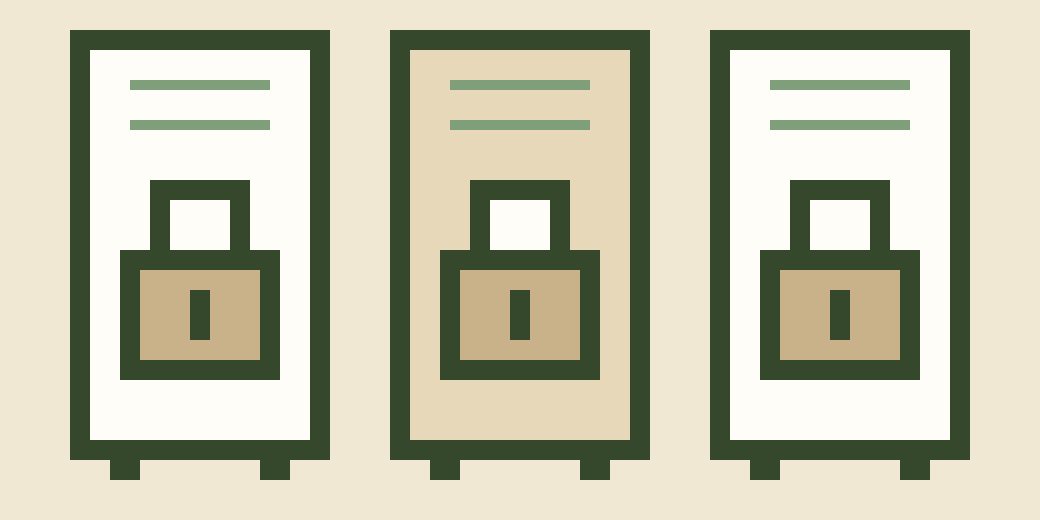
No. Each employee has their own space: conversations, files, notes, the assistant’s memory. This boundary is checked on every request. The company’s shared knowledge remains read-only for the assistant, which can draw on it without ever changing it.
The administrator manages accounts and settings, not content: there is simply no screen for reading anyone’s conversations or emails. Their actions are logged, without the content: you know who did what, without exposing anyone.
When an employee leaves, the administrator can retrieve their archive to preserve their work. As soon as it is downloaded, the account is deactivated and the person is informed by email: nothing happens in silence. Deletion then erases their data from the Appliance by overwriting it, not by hiding it.
This confidentiality is an architectural rule, not a promise.
5. The assistant never takes your place.
“Can the AI send an email or change our software without us?”

No. The assistant accesses your business software through secure connectors that the administrator enables one application at a time, in read-only mode. The essential point: your business data stays in your software, where it lives. The assistant queries it, analyses it, then produces a result: a summary, a deliverable. It does not extract the source data or corrupt it. Your teams never see the credentials for that software.
For email, there are two uses and two protections. First, the assistant has its own mailbox, Agent Mail: your employees write to it as they would to a colleague. An email only becomes a request if it comes from an active employee authenticated by the email provider; everything else is set aside. The assistant only replies to the person who wrote to it, never to an external address.
Then you can entrust it with your own Gmail or Outlook mailbox. It reads it to help you: analyse an exchange, extract information, suggest a reply, prepare a draft to save you time. But it never sends anything on your behalf. And your mailbox remains yours: nobody else, including the administrator, has access to it.
6. Nothing is installed or run without checks.
“What if an employee installs something dangerous?”

It is stopped at the entrance. Your Appliance arrives with preinstalled skills, checked by us. Then everyone personalises their assistant: they can create their own skills or import new ones from skills.sh, the market’s reference catalogue.
Everything that is installed first passes through our security scanners, on the Appliance and offline. At the slightest risk, the Appliance says so and refuses installation. Nobody can override it, not even us. This also applies internally: a skill written with the intention of harming the company’s IT systems is stopped like any other.
And when the assistant performs calculations, the code runs in an isolated, disposable environment that is destroyed after use: no network, limited resources, and just one place it can access, the working folder of the person who requested the calculation. Never the company’s knowledge, never anyone else’s data.
7. Consent and tracking for every intervention.
“And you, Appliance Labs, can you access our data?”

Appliance Labs holds no key to your data. For maintenance, we work on the Appliance with an administrator’s explicit consent, for a specific operation. We apply Zero Trust to our teams too: every access must be justified and checked.
Take Agent Mail’s emails. They are stored encrypted on the Appliance; neither the email provider nor Appliance Labs holds their storage key. Each employee only sees their own emails in the application; the administrator has no screen for reading anyone else’s.
Every intervention is recorded in a journal, and all your administrators are notified at the start and end. These rules govern our access; they do not make it technically impossible.
Your consent for each intervention. Visible tracking for your administrators.
8. Prepare to recover after an incident.
“What if the Appliance burns, or someone steals it?”
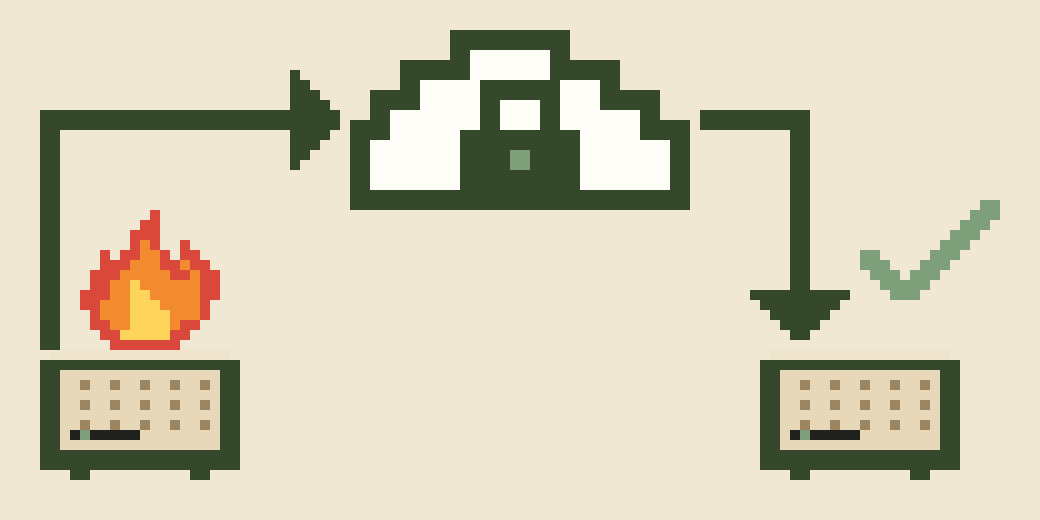
Your business software’s source data stays in that software. Its protection depends on its own backups: a backup of the Appliance does not replace them.
What can be lost is the content of the Appliance’s disk. First, the deliverables produced by the assistant: analyses, summaries, documents. In practice, you download them or copy them into an email, a report, a spreadsheet, a presentation: most already live in your everyday tools. Then there is the personalisation layer: conversation history, the assistant’s memory, its configuration, the skills created over time.
If your continuity plan requires it, we help you set up a backup of these elements on your existing systems, on-site or in the cloud. It stays with you, under your access rules. And even without a backup, a new Appliance never starts from a blank page: it ships with a set of ready-to-use skills. Warranty, insurance, fire: the answers are in our pricing FAQ.
Finally, if your Internet connection goes down, work continues. Email and updates wait, but the assistant and your documents work on your local network. When the connection returns, everything resumes on its own.
There is no such thing as zero risk.
Any security company, whether physical or digital, will tell you that. Our approach is to prepare for everything that is possible: close everything that is not needed, check everything that comes in, and tell you honestly what the product does and what it does not do. These eight principles will evolve with the product, and we will keep publishing them here.
That is what makes the Appliance a choice your leadership can stand behind in front of your customers, your auditors and your employees.
Your AI. On your premises. Closed by default.
A question about the Appliance’s security? Let’s talk.
Quentin SinigCEO & Founder, Appliance Labs